Lock away distracting apps.
For real this time.
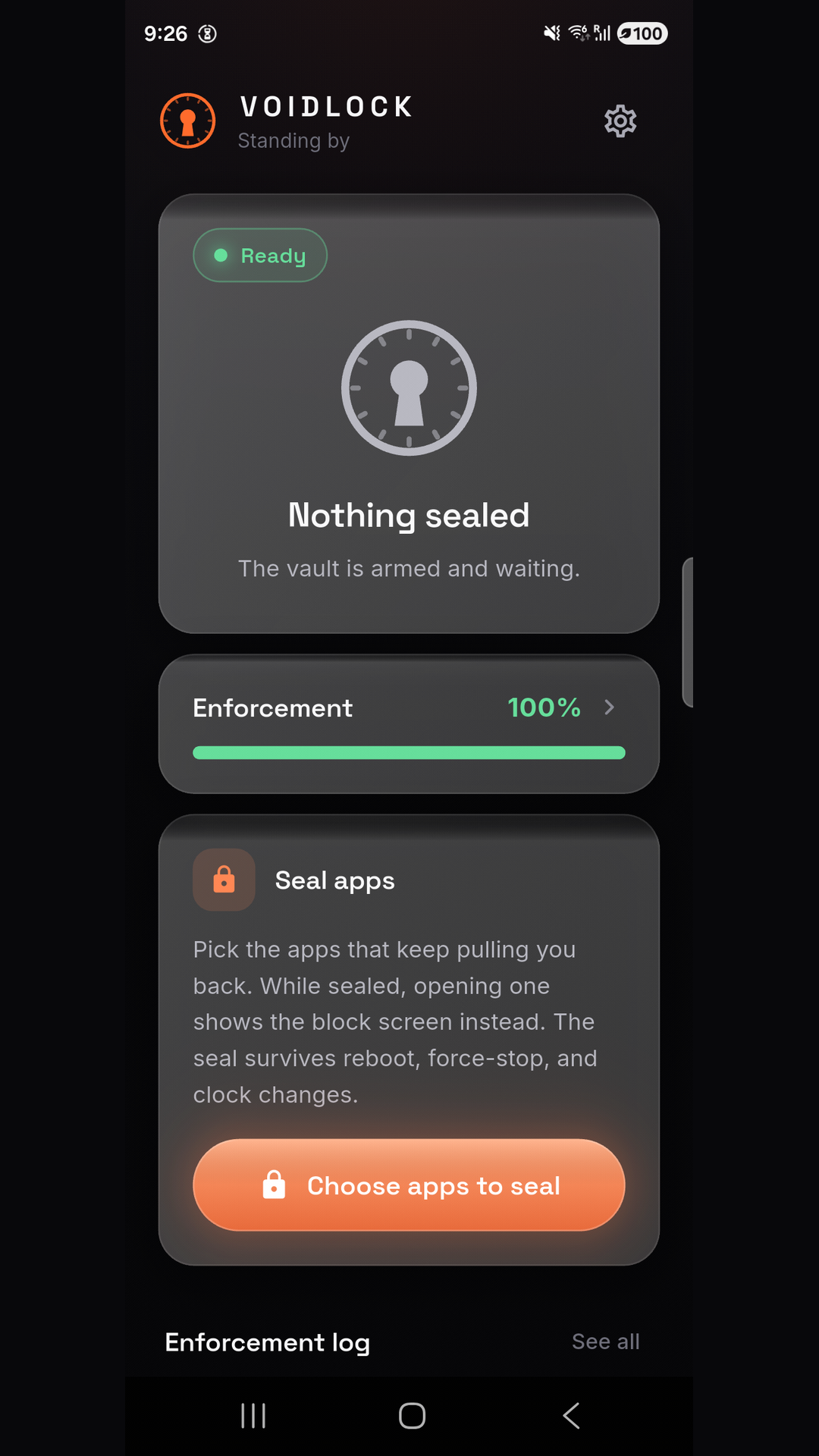
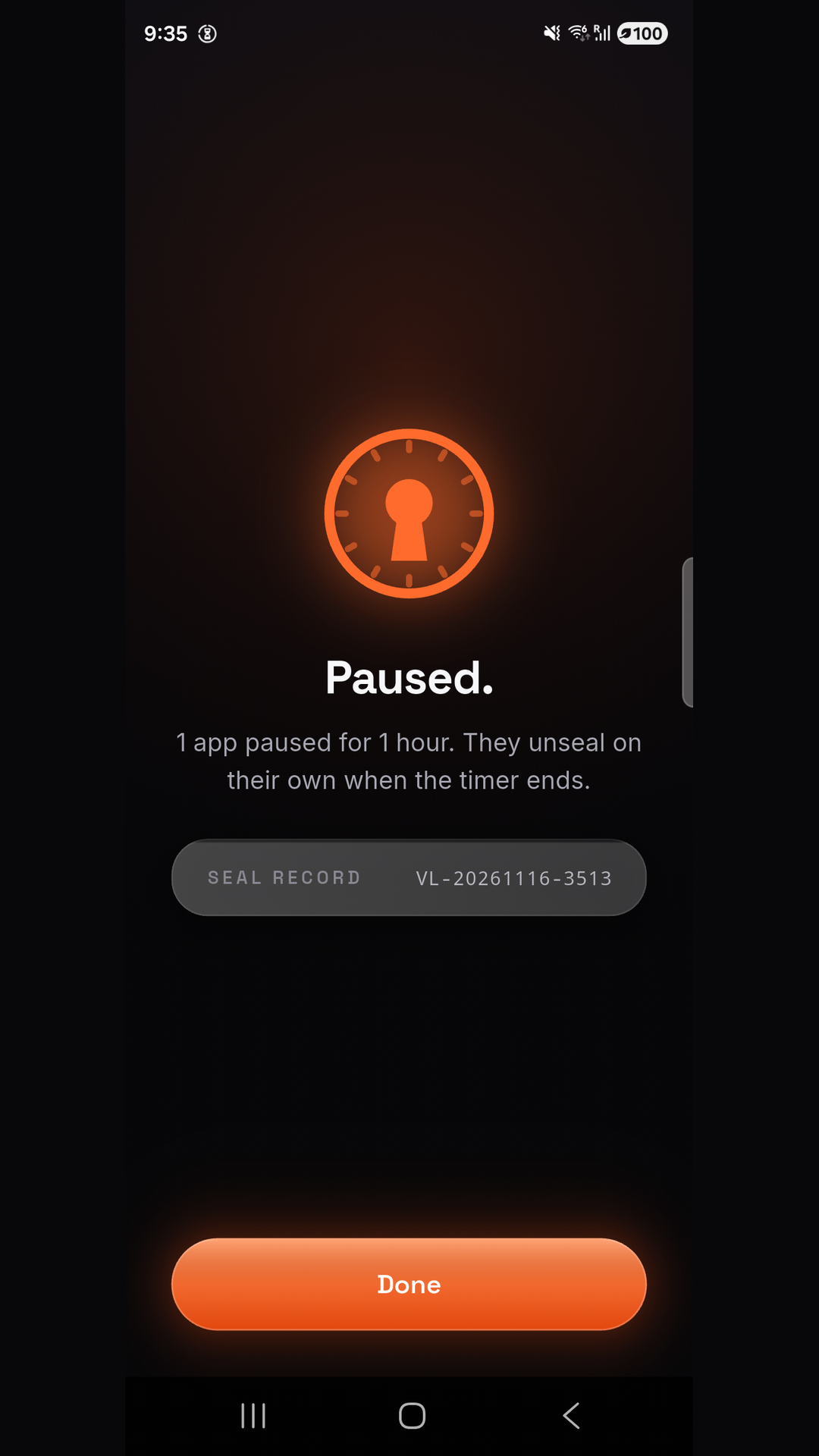
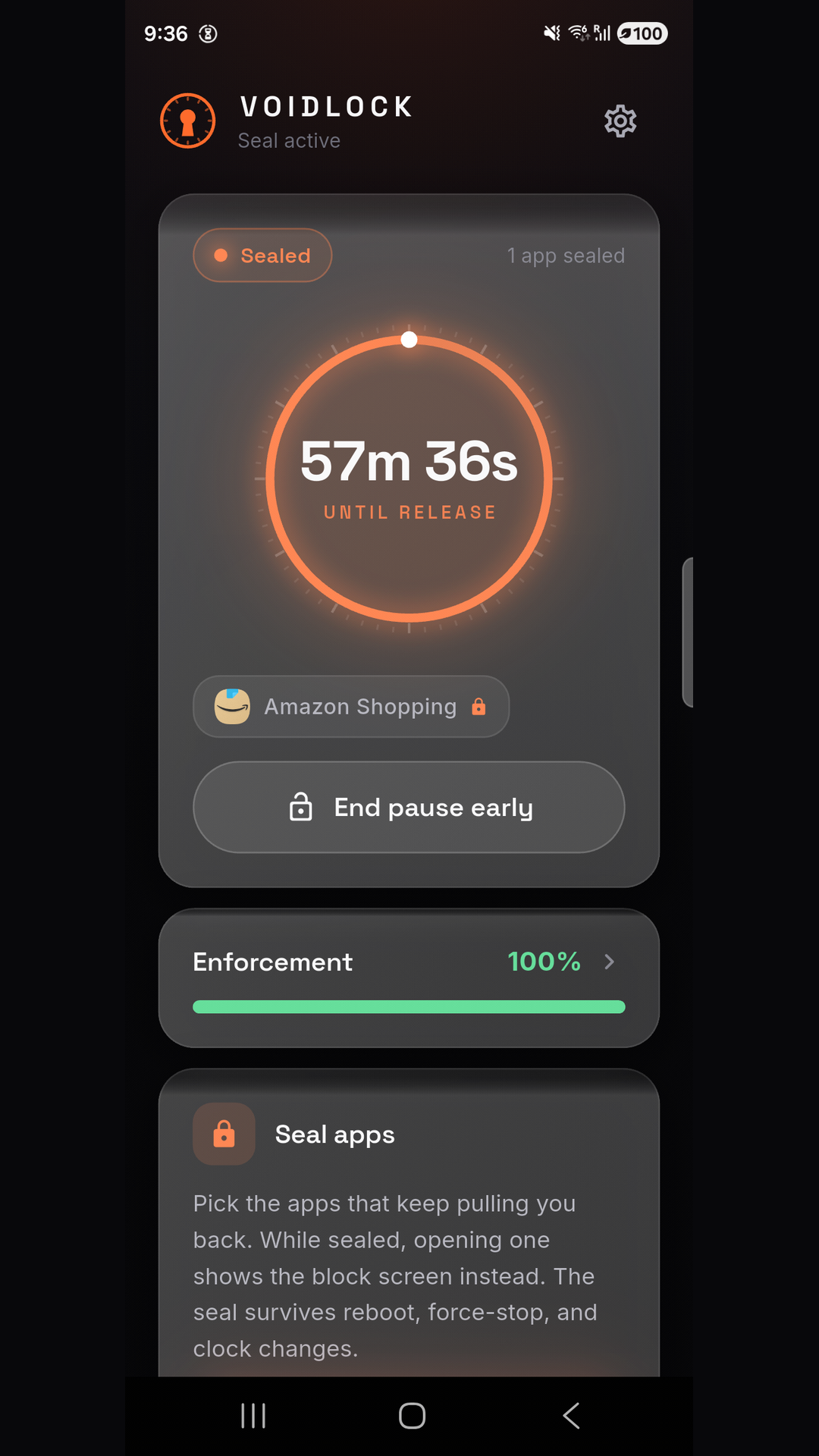
Pick the apps that waste your time, choose how long, and Voidlock locks them behind a timed vault. No snooze, no override, no way back in until the timer ends. That is the whole point.
Android · Free to start · No account hoops
Commitment, not willpower
App blockers you can switch off whenever you feel like it don't work. Voidlock is different: you decide once, while you're feeling strong, and the app holds the line when the craving hits.
Pick the apps that steal your time
Social media, games, shopping. Anything on your phone that keeps pulling you back can go in the vault.
Set the timer and seal
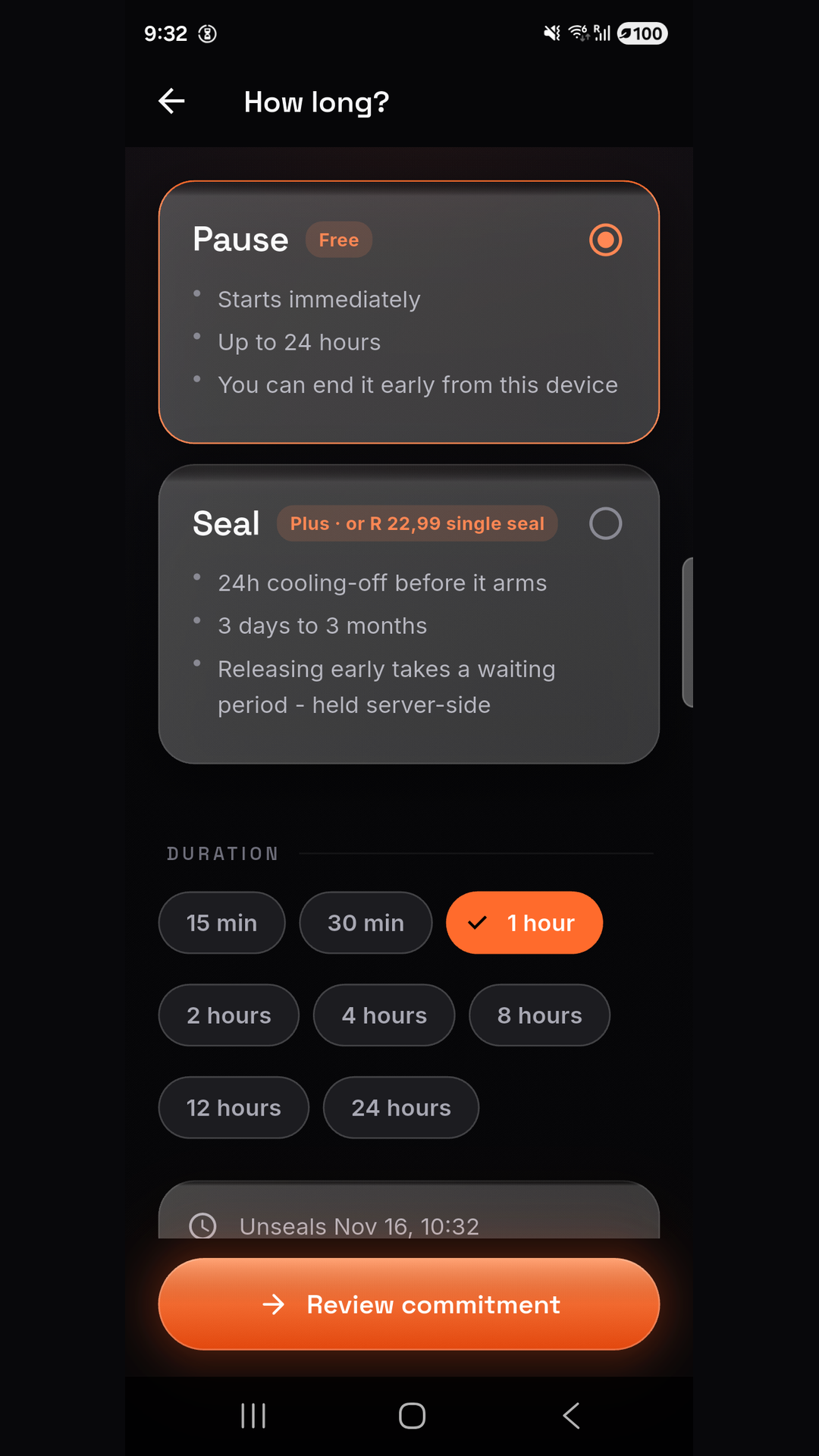
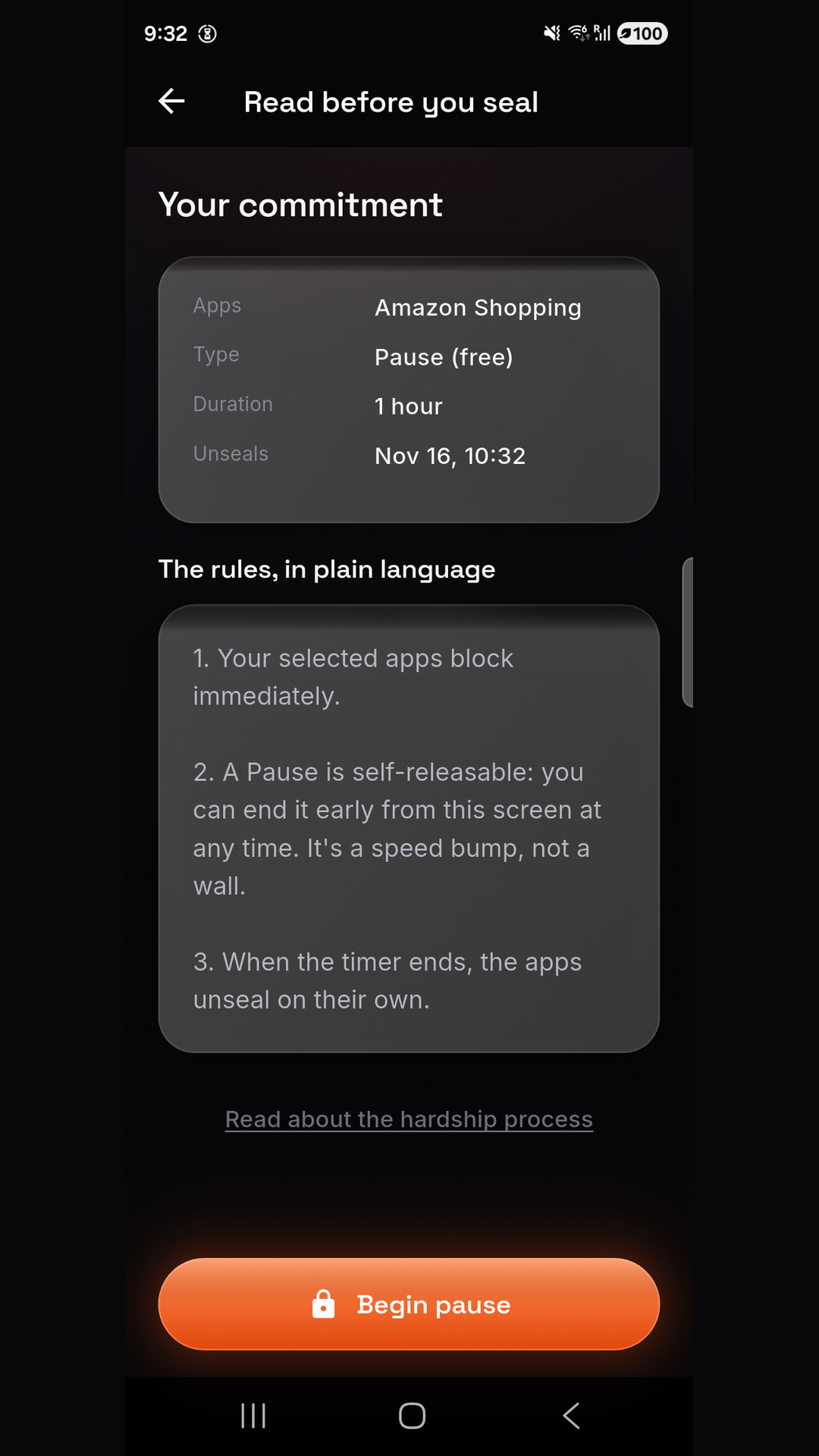
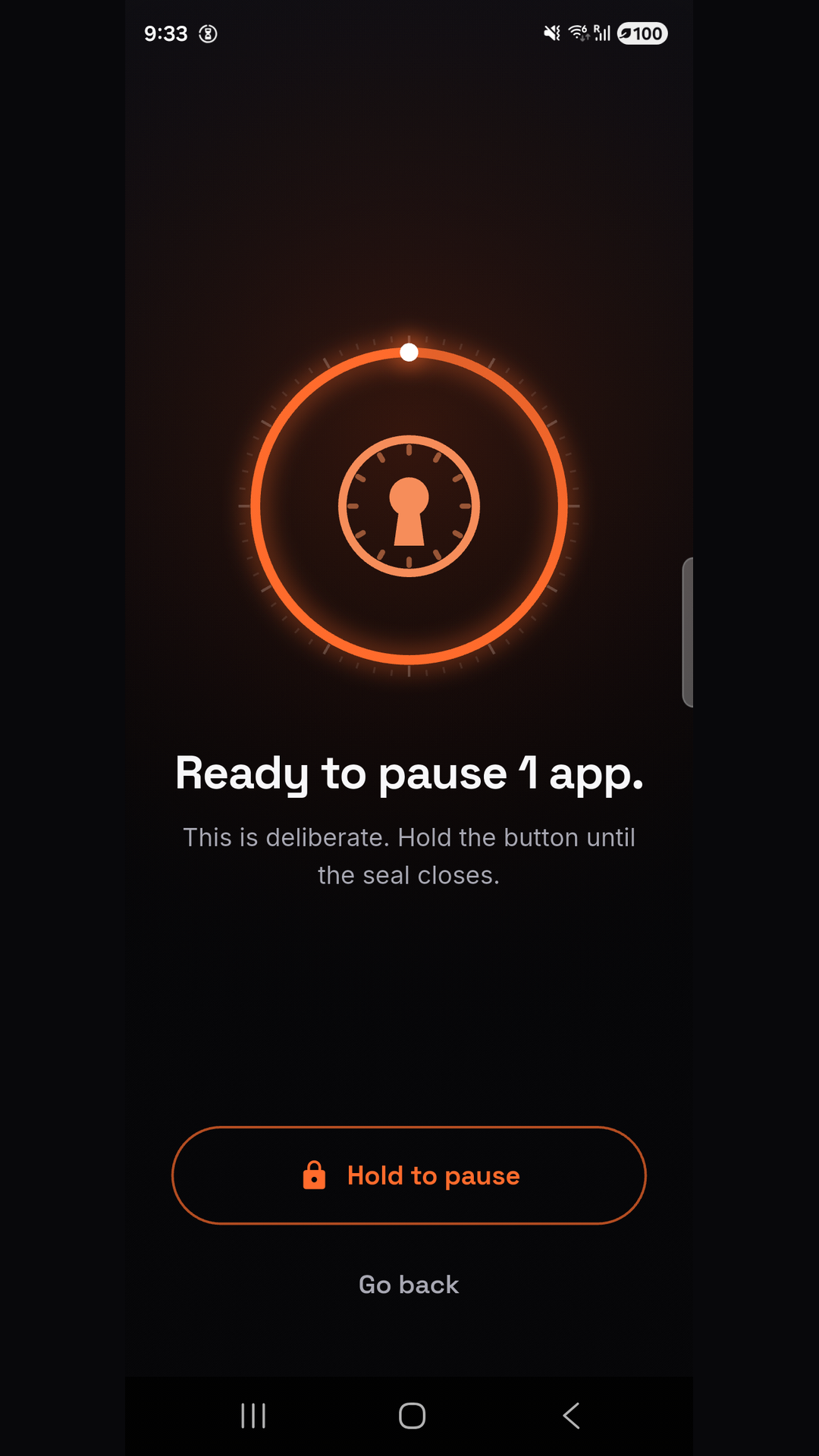
An hour, an evening, a whole week. Press and hold to seal, a deliberate commitment rather than an accidental tap, and the vault closes.
Wait it out. That's it
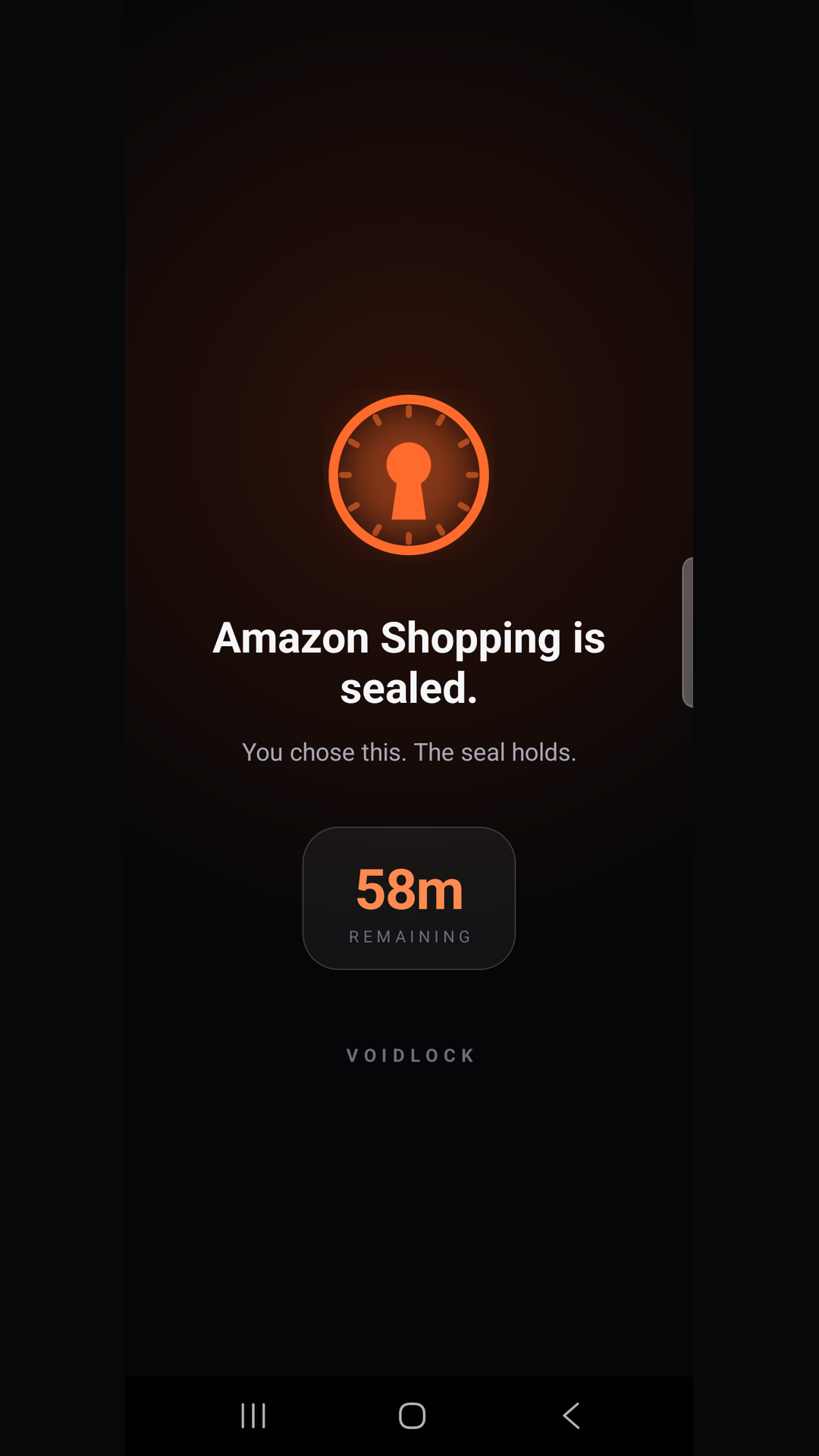
Try to open a sealed app and you get a block screen showing your remaining time. Reboot or change the clock and the seal holds. Stop the app and the countdown freezes until enforcement is back, so the wait only gets longer.
Built like a vault, not a babysitter
True enforcement
Your seal lives on our servers, not just your phone. Reboots and clock changes do nothing. Stopping the app only pauses the countdown, it never ends it. No settings back-door, no "just this once".
Per-app countdowns
Seal different apps for different durations. Every seal runs its own timer, visible at a glance on the home screen.
The sealing ritual
Sealing is a deliberate press-and-hold commitment, so you never lock yourself out by accident. Only on purpose.
Hardship release
Real emergencies happen. A strict, slow hardship process exists for genuine crises. Too slow to be a loophole.
Accountability partner
Optionally hand the key to someone you trust. They approve early releases, so you cannot sweet-talk yourself.
Enforcement log
Every blocked attempt is logged. Watch the pull of old habits fade week by week. Proof it is working.
Dark, calm, deliberate
No gamified streaks. No guilt-trip notifications. Just a quiet vault that does exactly what you told it to.
Cheaper than the time you're losing
Free gives you short locks called Pauses, up to 24 hours each. Plus adds Seals: long locks from 3 days to 3 months, held on our servers so even reinstalling the app won't break them.
Free
- Full enforcement, block screen, log
- Short locks (Pauses) up to 24 hours, 3 per week
- Unlimited Pauses your first week
Voidlock Plus
- Unlimited 24-hour Pauses
- Long locks (Seals), 3 days up to 3 months
- Seals survive reinstalls and factory resets
- Accountability partner
- Or $29.99/year with a 7-day free trial
Not ready to subscribe? A single long seal is $0.99 once. No subscription needed. Prices shown in USD; Google Play charges your local price.
Fair questions
What if I really need a sealed app in an emergency?
There is a hardship release process for genuine crises. It is deliberately slow and friction-heavy: fast enough for a real emergency, far too slow to be a scrolling loophole. If you have an accountability partner, they can approve an early release instead.
Can't I just uninstall Voidlock?
Voidlock uses Android's device-admin and accessibility protections to resist uninstall while seals are active. It is engineered so that the easiest path, by far, is to simply wait out the timer you chose.
Why does it need the Accessibility permission?
The accessibility service is how Voidlock detects a sealed app being opened and shows the block screen instead. It watches app launches only. It does not read your screen content, log keystrokes, or collect browsing data.
Does it work offline?
Yes. Enforcement runs entirely on-device. Aeroplane mode, no signal, Wi-Fi off: the seal holds regardless.
When can I get it?
Right now. Voidlock is live on Google Play. It's free to start, with no account hoops: install it and seal your first app in under two minutes. iOS is on the roadmap.
Stop negotiating with yourself.
Seal your first app in under two minutes. Free to start, no ads, no account hoops.